“In a previous post, I described by system for lighting buildings and hinted about my capacitive power supply, for snap switch control.
I’m using Atlas switches with their push-button controllers.
Looking back, I wish I had started out with the Tortoise switch machines, since they are more robust and electrical controls are simpler.
But at this point, I don’t want to deal with the hassle and work of converting all my switches.
A wiring diagram of my capacitive switch power supply is shown below.
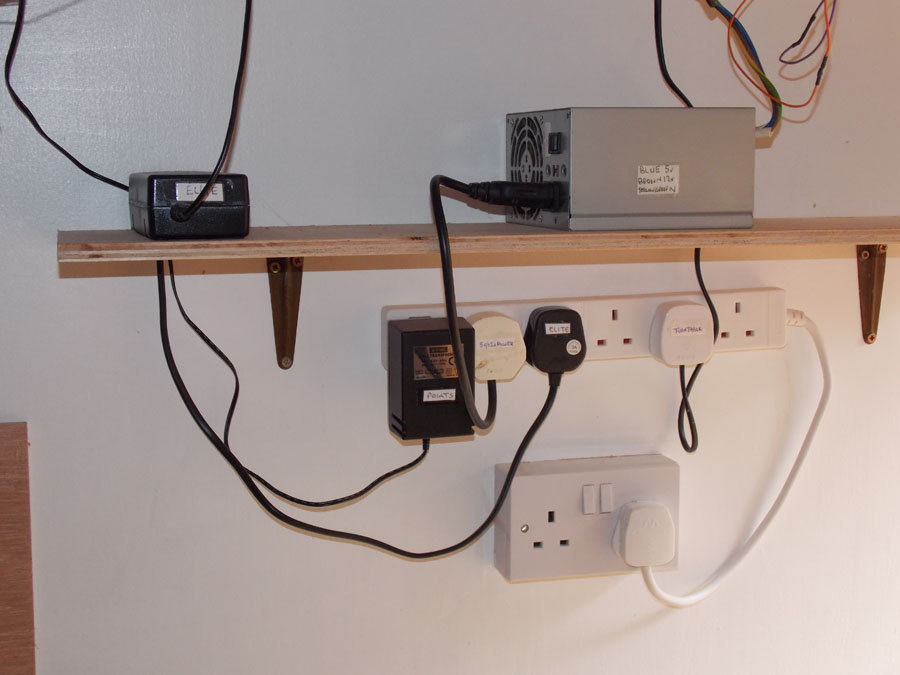
The power block on the left supplies 22 vDC from the house line. It’s from an old laptop I don’t use anymore.
The current flow in limited by four 270 ohm, 1-Watt, resistors wired in parallel to give the equivalent of a 68 ohm, 4-Watt, resistor.
These provide current into the two capacitors store the power to throw the switches. (Note that these are electrolytic capacitors that must be wired correctly as of polarity. If you reverse the connections, they might blow up, and would be totally destroyed.)
All these components can be obtained from suppliers (I got mine from Radio Shack which is pretty much gone).
The LED provides a power indicator. In operation the capacitors build up voltage to 22 v over a short couple of seconds.
When you push a button, the stored power quickly goes to the switch mechanism and the LED goes out.
When you release the button, the voltage again builds up and the LED lights.
Switch controls are connected to the red and green bus leads, one for each switch.
The red, black, and green leads go to a switch, wired as shown in the Atlas package the switches come in.
Everything inside the red box in the diagram above is shown below. The electronic parts are soldered onto a printed circuit board with many unconnected holes (from EBAY). Wires are routed and soldered between the components as needed.
The circuit board is held to the front plate with screws and spacers. Everything else is held together on a wooden board with hot glue which is then hot glued to the plate.
The front and back of the circuit board is shown below. Wiring is not critical, just make sure everything is connected correctly. The resistor for the LED is inside the blue shrink tubing.
Below are the two control panels for the yard at Cassiusville (panel on the right) and the Inverashur passing siding (panel on the left, Inverashur siding behind the town).
Another switch on the right of the Cassiusville passing siding is out of the picture. Readers of my last blog will recognize the station and mine.
The back of the yard panel is shown below. They don’t make 3-gang cover plates, so I have to cut a 1-gang and a 2-gang and glue then together with epoxy.
I hope I have made everything clear. Write in your questions.
Dean”
A huge thanks to Dean for sharing he’s learnt on his Atlas model train switches- please do post you comments and questions below.
When growing up, my brother and I used to play with the trains which my father left me upon his passing.
There were a couple of engines and a few cars and some layout accessories.
In 1963 I laid out a small circular track enjoying it for a short time before having to box up the set due to lack of space.
But years later after moving into a house which provided room in the basement to design and build a nice layout, I recaptured my train enthusiasm in earnest.
The original layout I designed in that first house, was just a little smaller than the one I have today in a larger basement. When I finished building the tables I begin to design a track layout then the town and countryside layout.
Once I completed the track layout I found I needed to purchase more cars and engines plus a good deal of accessories, people, cars, buildings etc. I used eBay for some of the equipment, but then I joined the TCA and started going to their shows.
At those shows I purchased most of the equipment I have today, along with getting display layout ideas from various train enthusiasts. I gained valuable knowledge from their generously shared expertise.
My first table design consisted of a city, coal yard, rock quarry, warehouse district, oil refinery area, cattle holding pen, farm area, an airport, in addition to a mountain & lake area. Over the next two years I developed my original layout adding a considerable number of trains (new and vintage) along with more landscape scenes.
In 2007 we moved to a new home which provided even more space to expand my layout. Taking down the old layout, piece by piece, not to mention all the grains of sand & gravel, and moving it to the new house presented a real challenge and one I would not wish to do again. Once moved I started to rebuild, expanding the layout at the same time.
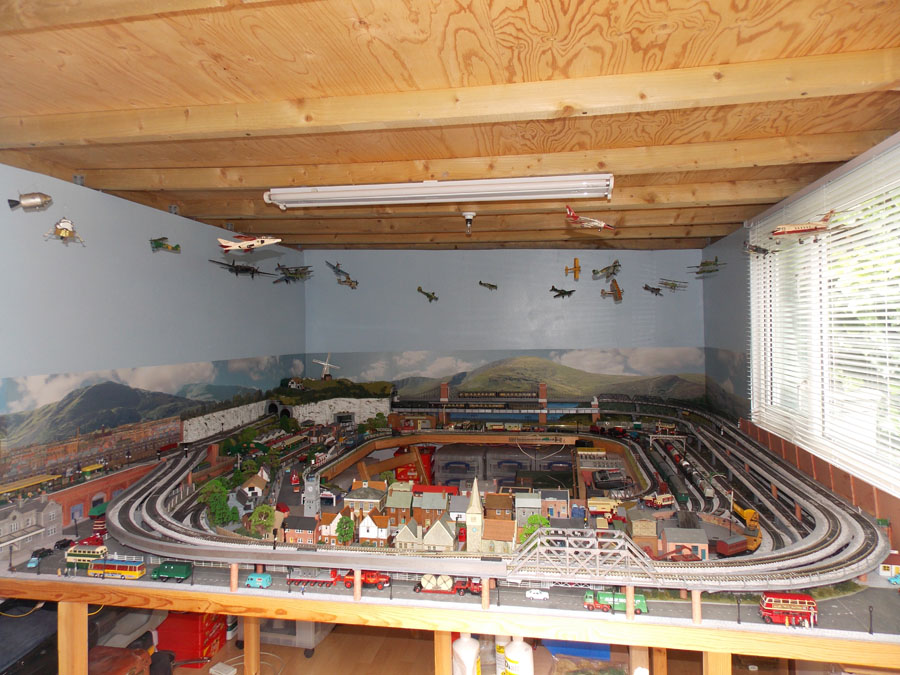
On the new layout I added new mountain ranges with a bridge connecting one peak to another peak over a road leading from town to lake & farm area through the mountains. I also added a train switching yard and a carnival. Along with several other displays…hobo area, trailer park, military base, auto repair shop and baseball field with a park attached. Hanging from the ceiling commercial and military aircraft fly over the layout.
My most recent addition is a trolley running from one end of town to the other end of town. When I decided to add the trolley I wanted it to run down the middle of Main Street, however, that would require too many changes to the city structure.
After giving it some thought I decided to build the tracks over the city, similar to Chicago’s “L”. It worked out great, fits in very nicely and adds a different dimension to my layout. I am always looking for vintage and new pieces that will fit in with my layout, but space-wise I have been told by my wife that expansion is not feasible unless we get a bigger house. Hmmm.
I design my layouts by focusing on what I want on the tables and how it should flow, knowing what I want my layout to be but having no major design on paper or computer. I just looked at what space I had and started laying track then fit in the buildings, bridges, tunnels, roads, etc. From time to time I have changed some of the existing layout areas but mostly just enhancing the landscape and set-up. I enjoy being creative with my layout.
I am not a collector, just someone who was given a few treasured pieces of an S Scale train set; deciding to make it a hobby and it has grown from there. I have several pieces of American Flyer which date back to the 50’s, also inherited from my father.
Recently I joined the Washington & Old Dominion S Gaugers. I enjoy the camaraderie with its members during meetings and while doing train shows.
Ed”
S scale layout:
Great stuff from Ed – bags and bags of character in that S scale layout. I loved the narrative too.
Now here’s an offer on some of the print out scenery – which can only mean one thing: another bonkers video from my good friend John.
It’s all HO scale, so if you want N scale, just reduce the print by 50%.
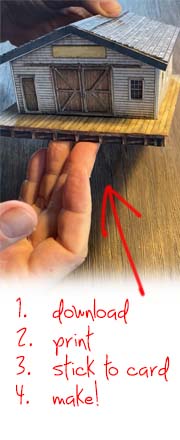
This bundle (it’s scenery that you print out and stick together, in case you didn’t know) is a old saloon / hotel, some wonderful fences and a set of patios too.
Here’s the saloon – or hotel – depending on what sign you stick on it (you get both with the print).
And if you’ve watched the video below, you’ll also see that John used the same print to make this little shed:
And here are the fences – here the pics only show a short length of them – but of course, you can print out as many as you like and make the fences as long as you like.
The patios are included in this set of prints too – but I didn’t take any pics – you’ll see them on the vid though. John also made a wall out of one of the patio prints too:
Here’s the vid:
As with all the printable buildings, they are in the store at full price, but right now, you can get all three for just $11.97 – that’s less than $4 each!
Just click here, or the button below, to buy them right now at the discount price, and save yourself $18. Course, I’m biased, but that’s not a bad saving at all.
That’s all this time folks.
A big thanks to Ed for sharing his S scale layout.
Dean’s been in touch with a great explanation on model railroad lighting:
“Greetings from Dean, across the pond.
Lately, there has been a lot of discussion on this Blog about LED lighting, and in this post, I talk about LEDs and how I use them for lighting building on my N scale layout.
An LED is a special electronic component that emits light when current is passed in the correct direction. If you apply a small DC voltage to an LED (positive voltage to the positive lead, negative to the negative) then begin to raise the voltage, nothing will happen until you reach the working voltage of the diode. Then it will begin to conduct and emit light.
But, unless you limit the current through the diode, it will quickly heat up and destroy itself since it is virtually a short circuit. For many LEDs, the working voltage is around 3 volts and the maximum current allowed is around 20 mA (0.020 amps). When you buy them, these characteristics, working voltage and maximum current, will be specified by the seller.
Below is a photo of some LEDs I have used. The positive lead is always the longest of the two. A resistor is also shown. Typical sizes are 3 mm and 5 mm and I buy these in bulk packs of 100 from EBAY for $4-$5, postage included. Thus, they run around 5 cents each. Resistors in bulk packs of 100 are about 4 cents apiece. Also shown is a box of the two sizes in 5 colors that I got for around $5, postage included.
You can also buy 1 mm LEDs usually with an included resistor and leads which are meant for model railroad hobbyists. I’ve seen these at $7.50 plus $2.50 shipping online. Or $10 each compared to what I pay for an LED and a resistor, $0.09. That’s why I wire my own! Lots of businesses sell bulk packs of electronic components for next to nothing on EBAY. Often these are shipped from sites in the US in a few days, although for some you have to wait for shipping from China.
Below is a simple circuit to show how an LED is wired. A battery, a 1000 ohm resistor and an LED. I just placed them together without solder to illustrate the circuit.
The value of the resistor can be calculated with the formula
R = (supply voltage – LED voltage) / the current
I use a supply voltage of up to 9 volts and most of my white LEDs are listed at voltage = 3, maximum current = 0.020 amps.
Then the resistance is
R = (9 – 3) / 0.020 = 6 / 0.020 = 300 ohms. This will give the maximum amount of light, but I prefer to run these at a lower current for longer life, and I increase the resistance to 500-1000 ohms.
To change the voltage to the LEDs, I bought a variable voltage supply (again from EBAY) that is shown below. I use a 9-volt “wall-wart” from an old piece of electronics to supply the voltage to this variable supply. (See the circuit diagram further below.)
The voltage supply costs around $5, came with a Lucite box, and indicates both voltage and current. Make sure you connect the correct polarity to the variable supply from the wall-wart or you may destroy it. There is usually a diagram on the wall-wart that indicates which is the positive lead.
I use a regular blank electrical box covers (above) extensively on my model railroad lighting. To hold the covers, I saw a blue plastic electrical box down to a height of an inch or so and glue it into a square hole cut in the fascia panel of the layout (below):
Three wires, which I twist together by chucking them in a drill, run between each of the boxes on the fascia. The colors are:
green is ground; red is to the LED lights, +0-9 v DC; black is +22 v DC for switches (I’ll describe my capacitive discharge circuit in a later post).
The wires terminate in junction blocks shown below (note the forth connector labeled yellow is for future expansion). The junction block has a plastic cover and I attach a printed label to this.
Here is a sketch of how the wiring goes together. Note that I can connect any number of LEDs and associated resistors to the red and green wires. Normally, I use from two to four LED/resistor pairs for each building.
Below are two lighting examples, a mine (built from an N Scale Architect kit), and a New Model Power freight station kit. The mine is basically four boxes, put together.
Inside each box is an LED/resistor built up like a stick. The two wires are insulated with shrink tubing and the height is adjusted so that the LED sits at the top of the box.
The light is then bounced around the building. The freight station has two LED/resistors.
The base for the mine holds the four sticks and interconnections are made in slots below the base. In this photo I used a 9-volt battery to light them as a final test.
The mine lit up in all its glory with this simple model railroad lighting! The kit is a model of the Eagle River mine south of Minturn, Colorado. I first saw it in 1974 and the buildings are still there. It operated for about 100 years until 1984 and is a pollution source.
The lighted station.
The layout is lit by two banks of fluorescent lights and five 110-v LED flood lamps whose intensity can be varied. When I operate the layout, or photograph parts of it, I first vary the overhead lights and exposure to give what I want (daylight, dusk, night) then adjust the LED power supply to give the right effect. I place a camera on a tripod, since exposures are often a few seconds.
Dean”
A huge thank you to Dean for taking the time to go through his model railroad lighting – I know it’s is always a topic of conversation on this blog.
And who can forget Fred’s model railroad lighting? It has to be seen to be believed:
I’m still getting the odd email on the roads and pavements bundle.
And I thought one or two of you may feel like barricading the doors and keeping yourself to yourself for a week or two.
So keeping busy on with some of the print out scenery may help pass the time. Here it is:
And lastly, a few of you have have asked for the roads and pavements link again.
We’ll, I’ll go one better than that, here’s the sale offer too:
The latest prints consist of 4 roads, 4 pavements and 4 tarmac tracks – giving you a limitless combination for your layout. In fact, it’s only limited by your imagination.
John kindly put the below together just to give you an idea of what you can come up with. Here it is:
Just like every building in the store, it’s all made from print outs. Here’s his video. Hope it makes you smile as much as I did.
The prints for the roads and pavements that John was using are in the store already – but if you want them use this link to get this silly low price.
Also, until Sunday night, I’m bundling this fantastic green house with the roads and pavements, for free:
So if you’d like this fantastic house, as well as the roads and pavements, all for just $9.97 please click here to buy, or the button below.
(The house sells for $9.97 on its own, so it’s a great saving).
But remember – only until Sunday night.
Everytime I watch one of John’s videos it always makes me want to build something. I love his enthusiasm.
He also does a great job with all the scenery store it is all made from print out scenery (you just download it, print it out and stick it together).
That’s all this time folks. I never know what’s going to be in my inbox each morning – model railroad lighting tips, printable buildings and scenery, or whatever… I don’t think I’ll ever tire of it.
Please do keep ’em coming.
And lots more like this in the Beginner’s Guide, if you want to get going on your layout.