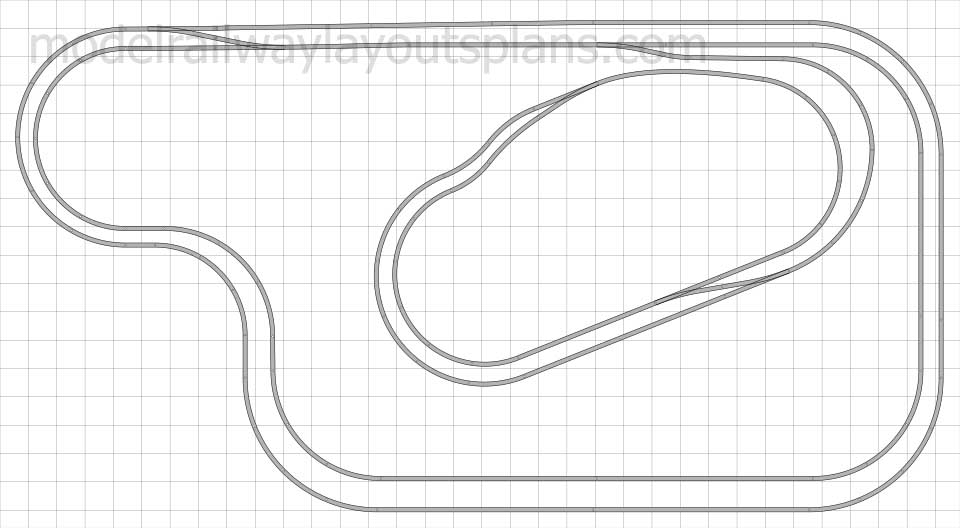
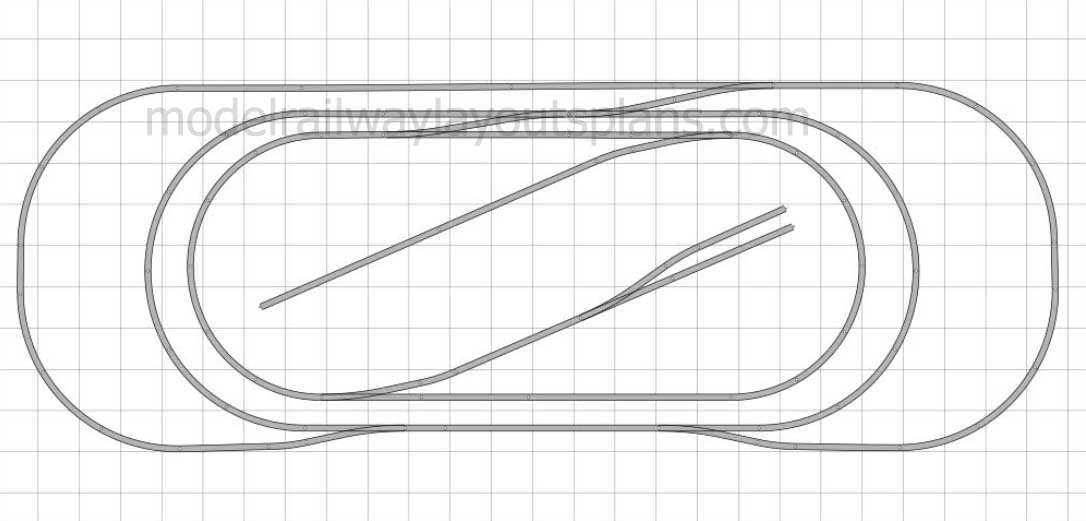
What I have been working on this past year is bring my plan to life.
Using woodland water I built the rapids and the water fall area.
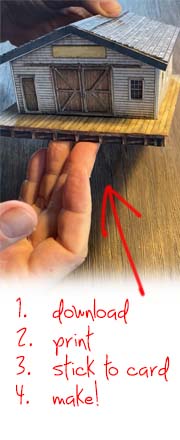
All my building are card stock and I am presently looking to replace them because I believe I can do a better job framing them.
The other thing I learned is the size of the curves. Being a first timer – I wish I would have used curve track vice bending my own. The reason I would like a greater curve is be because the largest steam engine I can use is the 4-6-0 .
“Here’s another trick I learned for window glazing many years ago.
Go to your nearest store that sells Science KIts,…..ask them if the sell Microscope Glass Slides. The glass is easy to work with…..cut to shape with simple draw of a single side razor blade.
I use them for bldg windows, engine cab and passenger car (esp effective, since you can cover numerous openings based on the scale ie. (O HO or S).
God bless & Happy Modeling!
RJ”
A big thanks to Tom and RJ.
As you all know, I’m a sucker for a layout update – I do love seeing how they change and morph. I don’t think I’ll ever get tired of it.
That’s all for today folks, but please don’t forget the Beginner’s Guide.
Course I’m biased, but if you want to stop dreaming and start doing, it’s an easy first step.
I have no idea why, but when ever I see pics of mountains or rock faces in the making now, for some reason I always think of
Model railroad rock landscape, probably because it shows the different stages of creating a rock face.
Also, pretty much every post on the blog is a reminder that there is no right way to do any part of this hobby. What ever you are trying to achieve there will be many different ways of doing it.
Some people use cardboard and plaster cloth for mountains, some folk use carved insulation foam, some use rock moulds, some use old ceiling tiles…
Jim’s been back in touch with his modular HO layout:
“Hello Alastair
From across the big pond, my name is Jim Volmer Sr, in Buffalo NY.
It has been a long time since my last post, but have experienced a lot of medical and family issues to deal with.
I am in the beginning stage of moving to a new home, hopefully with in a next few month’s so my layout is in total disarray, with packing all of the trains, buildings, electronic equipment and supplies etc…getting ready for the move.
I really did not have the chance to complete what I started, but that will change once I am in my new location.
So I thought that I would share some information on the Model Railroad Club I belong to. The name of our club is Western New York Trainmasters.
We are currently housed in one of our member’s basements, still looking for a permanent location. The club did have a location, but it ended quite unceremonious, that layout was destroyed and the club moved to where we are currently. We have a total of six members and are looking for new members all the time.
The railroad is called the Buffalo Erie and Niagara, a modular HO layout that is approximately 26 feet long with two 38 inch wide sections ( one in the front and one in the rear of the layout ), with industries, sidings, turntable, round house, and staging yard.
Two continuous loops around the entire layout allow trains to travel East and West at the same time. The train that travels West will be used to deliver products to the various destinations. The delivery destinations are: Buffalo Grain ( a Grain mill that once was in our area ), Buffalo Salvage Yard, McKinley Printing Plant, Crescent Manufacturing ( a company that builds small appliances), Jamestown Container ( a paper and cardboard distributor ), and Buffalo Industries ( for dry and cold storage ).
During our operating sessions, the dispatcher will assign a train to the engineer and conductor, for delivery of rolling stock to the various industries. As the West Bound train travels it route, the dispatcher will notify the engineer that the turnout for the industry lead track is thrown and cleared for entry. Once the train has entered the industry lead, the dispatcher must reset the turnout. It is then up to the train crew to deliver the different rolling stock to their proper destinations in a timely manner, utilizing a Card System.
Each Card has the name of the rolling stock, its identification number, what is contained in the rolling stock, and its destination. On the facial of the outside front modular, is a set of Card Holders, with the name of each industry on them. It is up to the conductor to make sure the correct card is in the correct Card Holder. After the cars are unloaded, the train crew collects the various rolling stock, with the card associated with it, and the train is then sent back to the staging area.
The rear modular area of the layout is mostly empty at this point, with only operating tracks and one turnout.
There are plans in the works to add more turnouts and operations around the walls to a second larger staging area. We are in the planning stage of placing a river, with a railroad bridge crossing over it, a mountain and tunnel for the train to pass through.
There are currently a total of fourteen turnouts. Ten of them are controlled with Tortoise Switch Machines and NCE programmable controllers, connected to the Digitrax system. Four turnouts are manually controlled. The one turnout that leads to and from the staging yard, has an automatic stop feature to it. The train cannot pass through the turnout until it is activated. Sometime in the future all of the turnouts will be set this way.
There are plans in the works, to have an automatic block control system, dwarf lights for all of the turnouts, a automatic grade crossing signal controller. Currently the grade crossing signals are controlled by a switch.
I have included some pictures of the modular HO layout for all to view. Hope you enjoy.
just aa short running session video I took yesterday using my phone, it was forecast for rain, so thought I would check out the layout after all the hot weather, glad to say all ran OK, it amazes me the quality of the footage as all taken on my iPhone, thought you may be could use it as a stocking filler as they say.